Remote Access Methods Compared
Remote Access Methods Compared
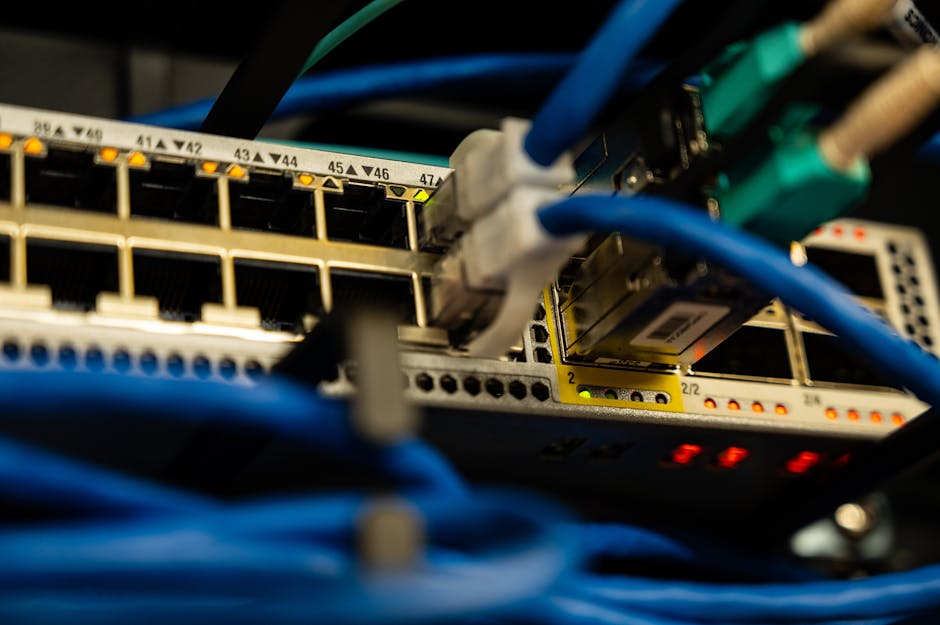
Photo by Brett Sayles on Pexels
Not all remote access methods are created equal. Choosing the right approach for your small business means balancing security, cost, ease of use, and the specific needs of your team. This lesson compares the four primary methods so you can make an informed decision.
The Four Primary Remote Access Methods
1. VPN (Virtual Private Network)
A VPN creates an encrypted tunnel between the remote worker's device and your company network. All traffic passes through this tunnel, making it invisible to anyone on the same Wi-Fi network. VPNs are the gold standard for network-level access.
Best for: Employees who need access to internal servers, file shares, or on-premise applications.
Pros: Strong encryption, full network access, well-understood technology
Cons: Can be slow, requires configuration, needs a VPN server or service
Free options: OpenVPN Access Server (2 free connections), WireGuard (open source), Tailscale (up to 100 devices free)
2. Remote Desktop Protocol (RDP)
RDP allows a worker to connect to a computer at the office and control it remotely. The screen, keyboard, and mouse are transmitted over the connection. The worker sees and controls the office computer as if sitting in front of it.
Best for: Workers who need specific software installed on office computers, or access to specialized hardware.
Pros: Full desktop experience, no data leaves the office machine
Cons: High security risk if exposed to internet, bandwidth-intensive
Free options: Windows Remote Desktop (built-in), Chrome Remote Desktop (free), Apache Guacamole (open source)
3. Cloud-Based Access
Instead of connecting to your office network, workers access cloud-hosted versions of their tools — Microsoft 365, Google Workspace, cloud-based CRM, cloud file storage. No VPN or RDP needed; access is through a web browser with authentication.
Best for: Businesses already using cloud tools, or those migrating away from on-premise infrastructure.
Pros: No infrastructure to manage, works from any device, built-in redundancy
Cons: Requires internet connection, depends on cloud provider security
Free options: Google Workspace (free tier), Microsoft 365 Business (trial), Nextcloud (self-hosted, free)
4. Zero Trust Network Access (ZTNA)
The newest approach: instead of granting network access, ZTNA grants access to specific applications based on identity and context. Workers never "join" the network — they connect to individual apps through a broker.
Best for: Businesses wanting the highest security without traditional VPN complexity.
Pros: Granular access control, no network exposure, identity-based security
Cons: Newer technology, may require paid services for full features
Free options: Tailscale (free tier, 100 devices), Cloudflare Access (free for up to 50 users), Twingate (free for up to 5 users)
Comparison Table
| Method | Security | Cost | Ease of Setup | Best For |
|---|---|---|---|---|
| VPN | High | Low-Free | Medium | Network access |
| RDP | Medium* | Free | Easy | Desktop control |
| Cloud | High | Varies | Easy | Cloud-first teams |
| ZTNA | Highest | Low-Free | Medium | App-specific access |
*RDP security depends heavily on configuration — never expose RDP directly to the internet.
Step-by-Step: Choosing Your Method
- List your applications: Document every app your remote workers need to access
- Check cloud availability: See which apps have cloud versions — those may not need VPN at all
- Identify on-premise needs: Any app that must run on office hardware needs VPN or RDP
- Consider your team's technical comfort: Non-technical workers may struggle with VPN setup — Tailscale is easiest
- Start free, scale as needed: Begin with free tiers and upgrade only when you outgrow them
- Combine methods: Use cloud access for email/documents, VPN for file servers, ZTNA for sensitive apps
Key Takeaways
- No single method is best for every situation — most businesses use a combination
- VPN is the most versatile for network access; cloud is simplest for app access
- Never expose RDP directly to the internet — always use VPN or ZTNA in front
- Free tools exist for every method — start free and upgrade as needed
- Tailscale and Cloudflare Access offer excellent free tiers for small businesses
Remote Access Methods Compared
Photo by Brett Sayles on Pexels
Not all remote access methods are created equal. Choosing the right approach for your small business means balancing security, cost, ease of use, and the specific needs of your team. This lesson compares the four primary methods so you can make an informed decision.
The Four Primary Remote Access Methods
1. VPN (Virtual Private Network)
A VPN creates an encrypted tunnel between the remote worker's device and your company network. All traffic passes through this tunnel, making it invisible to anyone on the same Wi-Fi network. VPNs are the gold standard for network-level access.
Best for: Employees who need access to internal servers, file shares, or on-premise applications.
Pros: Strong encryption, full network access, well-understood technology
Cons: Can be slow, requires configuration, needs a VPN server or service
Free options: OpenVPN Access Server (2 free connections), WireGuard (open source), Tailscale (up to 100 devices free)
2. Remote Desktop Protocol (RDP)
RDP allows a worker to connect to a computer at the office and control it remotely. The screen, keyboard, and mouse are transmitted over the connection. The worker sees and controls the office computer as if sitting in front of it.
Best for: Workers who need specific software installed on office computers, or access to specialized hardware.
Pros: Full desktop experience, no data leaves the office machine
Cons: High security risk if exposed to internet, bandwidth-intensive
Free options: Windows Remote Desktop (built-in), Chrome Remote Desktop (free), Apache Guacamole (open source)
3. Cloud-Based Access
Instead of connecting to your office network, workers access cloud-hosted versions of their tools — Microsoft 365, Google Workspace, cloud-based CRM, cloud file storage. No VPN or RDP needed; access is through a web browser with authentication.
Best for: Businesses already using cloud tools, or those migrating away from on-premise infrastructure.
Pros: No infrastructure to manage, works from any device, built-in redundancy
Cons: Requires internet connection, depends on cloud provider security
Free options: Google Workspace (free tier), Microsoft 365 Business (trial), Nextcloud (self-hosted, free)
4. Zero Trust Network Access (ZTNA)
The newest approach: instead of granting network access, ZTNA grants access to specific applications based on identity and context. Workers never "join" the network — they connect to individual apps through a broker.
Best for: Businesses wanting the highest security without traditional VPN complexity.
Pros: Granular access control, no network exposure, identity-based security
Cons: Newer technology, may require paid services for full features
Free options: Tailscale (free tier, 100 devices), Cloudflare Access (free for up to 50 users), Twingate (free for up to 5 users)
Comparison Table
| Method | Security | Cost | Ease of Setup | Best For |
|---|---|---|---|---|
| VPN | High | Low-Free | Medium | Network access |
| RDP | Medium* | Free | Easy | Desktop control |
| Cloud | High | Varies | Easy | Cloud-first teams |
| ZTNA | Highest | Low-Free | Medium | App-specific access |
*RDP security depends heavily on configuration — never expose RDP directly to the internet.
Step-by-Step: Choosing Your Method
- List your applications: Document every app your remote workers need to access
- Check cloud availability: See which apps have cloud versions — those may not need VPN at all
- Identify on-premise needs: Any app that must run on office hardware needs VPN or RDP
- Consider your team's technical comfort: Non-technical workers may struggle with VPN setup — Tailscale is easiest
- Start free, scale as needed: Begin with free tiers and upgrade only when you outgrow them
- Combine methods: Use cloud access for email/documents, VPN for file servers, ZTNA for sensitive apps
Key Takeaways
- No single method is best for every situation — most businesses use a combination
- VPN is the most versatile for network access; cloud is simplest for app access
- Never expose RDP directly to the internet — always use VPN or ZTNA in front
- Free tools exist for every method — start free and upgrade as needed
- Tailscale and Cloudflare Access offer excellent free tiers for small businesses
There are no comments for now.
to be the first to leave a comment.